Why a Screen Looks Different from the Side
Why a screen looks different from the side: learn to spot shifts in colour, contrast and detail, and judge the view from your usual seat.
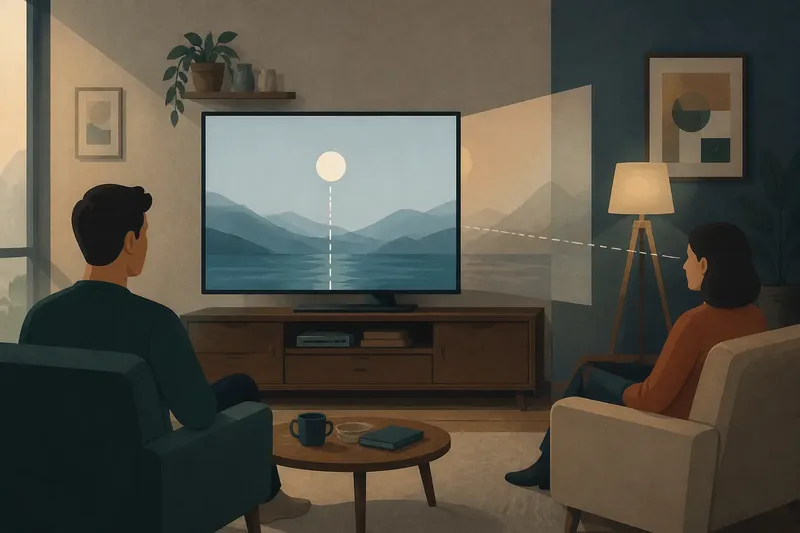
The common mistake is to judge a display from directly in front, then assume the same picture will hold up across the room. A screen looks different from the side because the light reaching your eyes changes with your position; colours, dark areas and fine detail may appear less balanced, even though the image itself has not changed.
Light leaves at an angle
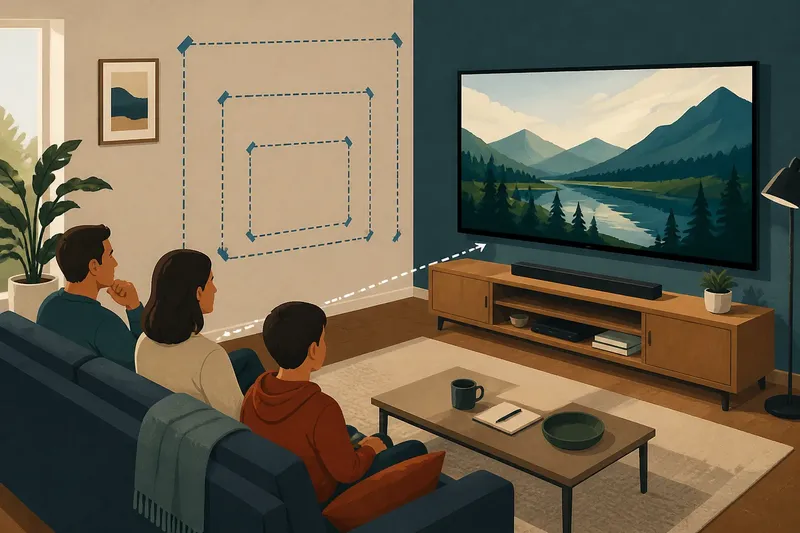
A display forms an image by controlling light across a surface. When you sit squarely in front, that light reaches you along a relatively direct path. Move sideways, and you view the same surface at an oblique angle. The change can affect the apparent brightness and colour of different parts of the image.
The effect is not a defect in the room or a sign that the screen is changing its settings. It is a viewing-angle effect: a difference in appearance caused by the direction from which you see the display. Its strength depends on the screen’s construction and on how far you move from the central viewing position.
Try comparing a broad, even image rather than a busy scene. A plain grey background or a picture with a large, uniform sky makes gradual changes easier to notice than a fast-moving programme full of cuts and bright detail.
Colour and contrast shift
From one seat, white may look neutral and a red object vivid. From another, white can seem cooler or warmer, while colours may lose some of their apparent strength. Dark areas can also look washed out, or bright areas may seem less even. These are changes in perceived balance, not necessarily changes in the encoded picture.
Contrast describes the visible separation between light and dark parts of an image. If that separation appears weaker from the side, a shadow may lose depth and a dark coat may blend into a dark wall. Fine distinctions in colour can become harder to read as well. The result varies: some displays preserve a consistent image across a wider spread of seats than others.
Do not treat one colour change as a verdict on the whole screen. Check several kinds of content: a neutral background, a face, and a scene with dark detail. Each makes a different part of the picture easier to assess.
Panel design matters
Display technology influences how strongly the picture changes off-centre. Different panel types manage light in different ways, so one may retain colour and contrast across a broader viewing area while another looks most consistent near the centre. The model and its settings matter too; a label such as “wide viewing angle” does not tell you exactly how the display will look in your room.
Surface finish can add another complication. A glossy screen may reflect a window or lamp, and that reflection can shift as you move. It may be mistaken for a loss of brightness or a colour cast. Matte finishes scatter reflections differently, but they do not remove the viewing-angle effect itself.
When comparing screens in a shop, look for the model’s own picture rather than relying only on display labels. If manufacturer information describes a viewing-angle range, treat it as a specification to investigate, not a promise that every seat will look identical.
Observe your own screen
A simple comparison can reveal what matters in your setting. Keep the image and room lighting steady, then look from the centre and from the seats people actually use. Avoid changing picture modes between positions, since that makes it harder to tell whether the difference comes from your viewpoint or a setting.
Say you watch with a friend seated well to one side of a desk-mounted monitor. You could pause a film on a scene with a face against a dark background, then compare the view from both seats without moving the monitor. If the friend sees the face lose colour or the background turn grey, that is an observable difference to weigh against how often each of you uses that seat.
- Choose a still image with both bright and dark areas.
- Check a neutral colour, such as white or grey, for a visible tint.
- Look at a face or other familiar colour rather than judging only abstract test patterns.
- Compare the centre seat with the most off-centre seat used regularly.
- Repeat the glance with room lights in their usual positions, noting reflections separately.
Keep the observations practical: note which seat loses detail, which colours change, and whether the difference is distracting during ordinary viewing.
Which view should count?
How far sideways is too far?
There is no single angle that suits every screen or viewer. Move only as far as the seating arrangement requires, then decide whether the image still serves its purpose from there.
Does sitting higher change the picture?
Yes, changing height also changes the direction from which you see the display. Compare the usual eye level with the actual seat position, especially if the screen is placed above or below it.
Can settings fix a side view?
Picture controls can alter brightness, contrast or colour, but they do not change the physical path of light from the display. A setting that improves one seat may make the central view less natural.
Why does a phone look different?
Small screens are often held and turned as people use them, so the viewing angle changes constantly. Their size, panel design and distance from the eyes all shape how noticeable the shift seems.
Judge the room, not a slogan
A screen’s best viewing position is not automatically the only useful one. For solo use, a stable central seat may matter most; for shared viewing, consistency across several seats may deserve more weight. The sensible choice depends on the content, the people watching and where they sit.
When considering why a screen looks different from the side, judge the image from the positions that belong to your routine, not from an imagined perfect angle. A brief, controlled comparison can show whether the shift is merely visible or genuinely interferes with seeing the content.