Wall-Mounted or Freestanding: Two Ways to Place a Screen
Compare wall-mounted and freestanding screen placement to choose an arrangement that suits your viewing position, room layout and appetite for change.
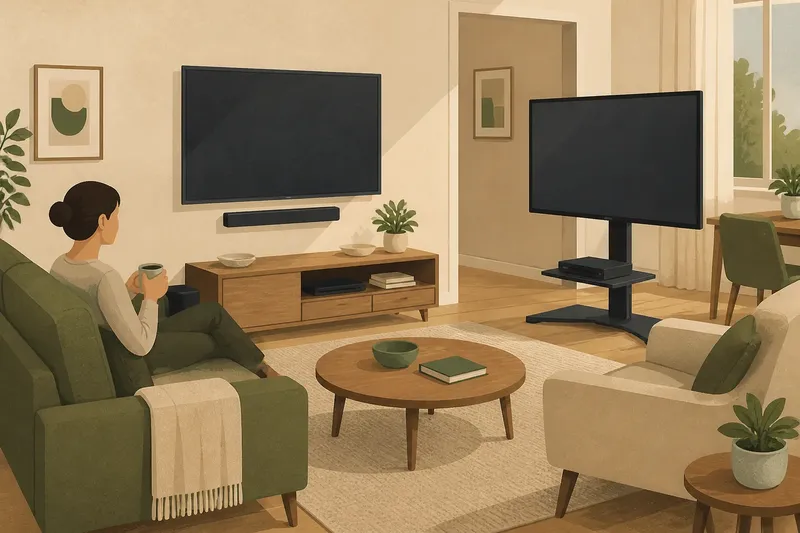
The common mistake with wall-mounted or freestanding screen placement is choosing by appearance before checking where people actually sit. The cost is a display that looks tidy but leaves someone craning their neck, or a stand that blocks a walkway and makes the room harder to use. Start with the room’s routines, then decide which arrangement can support them.
Seats feel awkward
A wall-mounted display can be positioned to suit a main sofa, but its fixed location may not work for a chair used for reading or conversation. A freestanding display is easier to turn or shift, though a broad stand can limit where chairs fit. Either choice can create an uncomfortable view if the screen is treated as the room’s centre before the seating is considered.
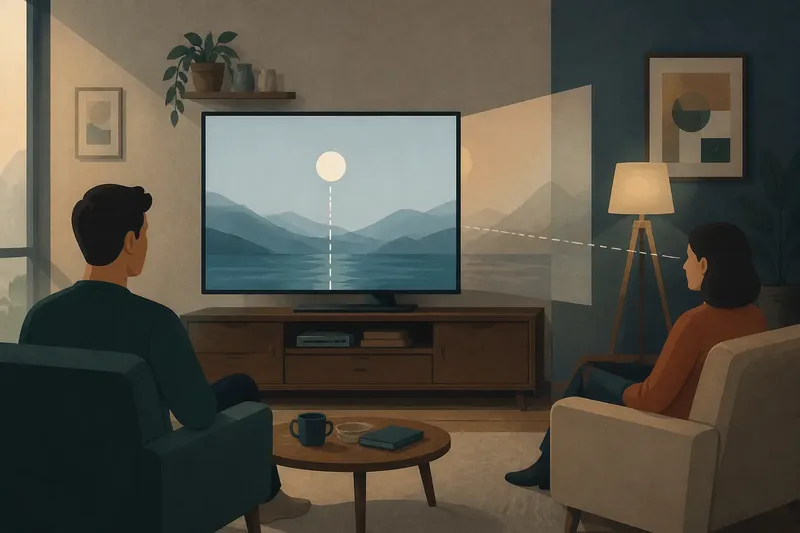
Check the usual viewing positions while the room is being used normally. Notice whether people watch from the sofa, a dining chair, or a seat at an angle. The aim is not to make every place equally ideal; it is to identify the positions that matter most and avoid forcing a viewer into an awkward posture.
Say you use a sofa most evenings, while a chair beside the window is occasional. If a wall mount can face the sofa without making the screen dominate the whole room, it may suit the routine. If the chair is often moved into use, a freestanding unit that can be turned towards it may be easier to live with.
Try the seating arrangement before settling the display position.
Wall placement feels fixed
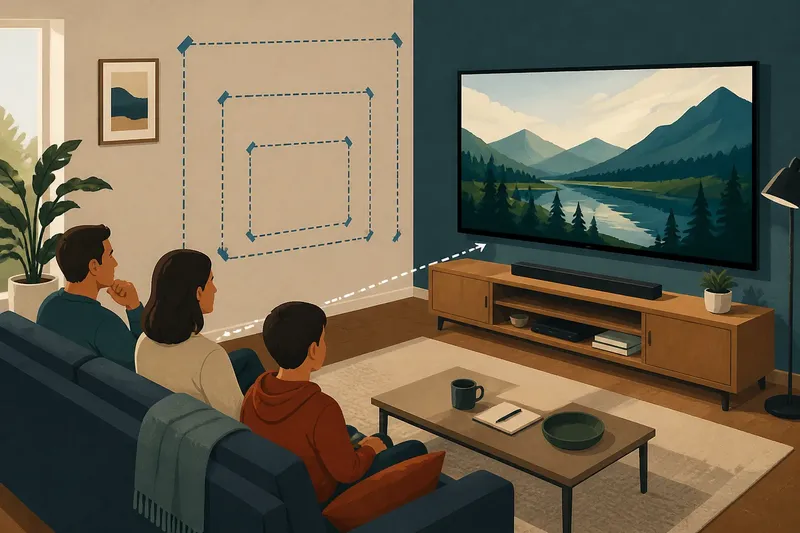
A mounted screen can free a floor area and create a clean outline, but it is less forgiving when the room changes. Moving the sofa, adding a bookcase or turning the room towards a different activity may leave the screen facing the wrong place. The usual cause is treating the wall as a permanent viewing plan rather than one part of a changing room.
Before committing, consider how the room is likely to be rearranged. Is the sofa moved for guests? Does the space serve as a work area or play area as well as a viewing room? A fixed position is most useful when the main seat and screen relationship is stable. If that relationship shifts often, a stand offers more room for adjustment.
Wall-mounted does not have to mean visually rigid. A suitable swivel or tilting bracket can allow some adjustment, depending on the display and mounting arrangement. Check the bracket and manufacturer instructions for compatibility, and ask a qualified installer where wall construction or safe fixing is uncertain. Do not choose a mount based only on how far it appears to move.
Freestanding screens drift
A freestanding display is convenient to reposition, but convenience can turn into gradual drift. The screen may end up angled away from the main seat, or its stand may creep into a route between rooms. This often happens because a movable arrangement has no agreed resting position.
Choose a clear place for the display to return to after the room is rearranged. Check that the stand sits securely on the floor and that people can pass without brushing it. Keep the visible viewing area aligned with the main seat, rather than relying on the ability to turn the screen later.
Also consider the base. A pedestal stand takes less floor area than a broad-footed design, while a media unit can provide storage but occupy more of the wall. The right option depends on the furniture around it and on whether the screen needs to move often. A unit that looks compact in isolation may still obstruct a cupboard door or make a narrow route feel pinched.
Cables spoil the arrangement
Wall mounting can leave power and connection cables visible, particularly when sockets sit away from the chosen position. A freestanding screen has more room to route cables behind a unit, but loose leads can still cross a walkway or gather around the base. In both cases, the trouble often starts when cable paths are considered after the display has been placed.
Look at where the power socket and any media equipment sit before deciding between the two arrangements. A wall mount may suit a room with a nearby socket and a workable cable route. A stand may be simpler when a console, receiver or other device needs to sit close by. Avoid stretching leads across a route or using a cable arrangement that conflicts with product instructions or local rules.
For a neat result, plan the visible route as well as the hidden one. A low media unit can conceal some connections without requiring wall work. Cable covers may help with exposed runs when used as intended, but they do not make an unsuitable route safe.
Which placement suits you?
Does a wall-mounted screen save space?
It can clear the floor directly beneath the display, which may help in a compact room. The overall arrangement still needs space for seating, equipment and a comfortable route through the room.
Can a freestanding screen be moved easily?
It is generally easier to reposition than a fixed wall display, especially when the screen sits on a stable stand or media unit. The practical limit is the weight and shape of the unit, along with the cable connections and available floor space.
Which option is better for changing seating?
A freestanding display is usually more adaptable when chairs or sofas move between uses. A wall-mounted display may still work if its bracket allows suitable adjustment and the changes remain within its intended range.
What should I decide first?
Identify the main viewing seat and the room’s most common alternative use. Then compare the screen position, walking routes, nearby sockets and equipment before choosing a mount or stand.
Changes disrupt the view
Sometimes the problem appears only after a new sofa, desk or storage unit enters the room. A wall-mounted display may now sit too high relative to the new seating, while a freestanding one may be pushed into a corner. The cause is not necessarily the screen itself; a changed furniture layout can alter the line of sight and the room’s routes.
When something changes, first restore the main seat and check the view from there. Then look for a practical adjustment: a freestanding unit can often be repositioned, while a movable bracket may allow a limited change in direction. If the wall position no longer suits the room, avoid repeatedly compensating with awkward seating. Consider whether the display’s fixed location has outlasted the arrangement it was chosen for.
For a planned room update, sketch the major furniture and mark the likely screen position before moving heavy items. That simple check can reveal whether a stand will obstruct a doorway or a wall position will leave the new main seat off to one side.
Choose for the room
Wall-mounted or freestanding screen placement is a decision about how much of the room’s layout you want the display to dictate. A mount can keep the floor clear and suit a settled viewing position. A stand can accommodate change and keep equipment close, but it needs a deliberate place that does not crowd the room.
Make the choice by looking at the seats people use, the routes they take and the changes the room must absorb. If the room’s main viewing position is stable, a wall-mounted display may fit. If the screen must follow shifting furniture or different activities, a freestanding arrangement may be the more useful choice. Recheck the view after any substantial rearrangement; a screen’s best position belongs to the room as it is used now.